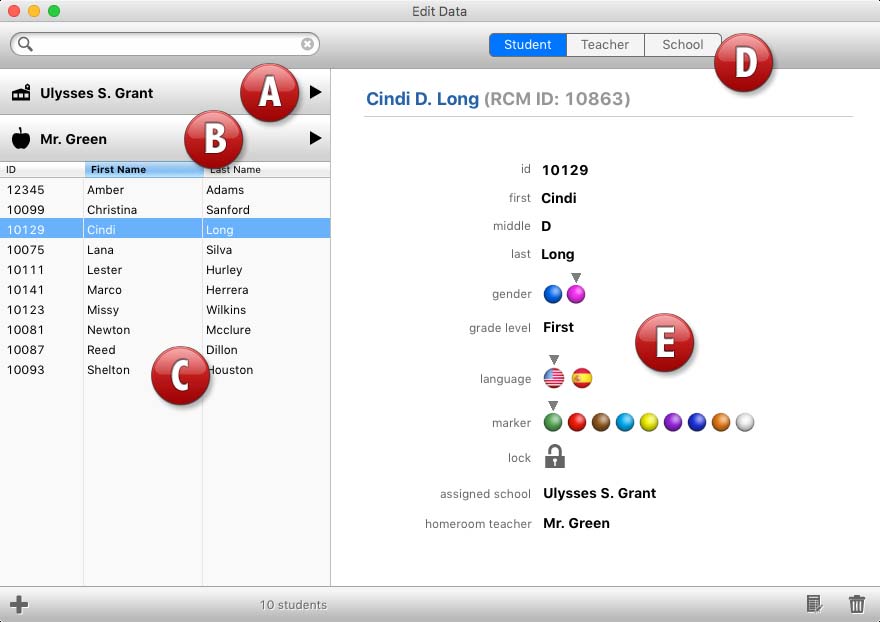
From the Main Screen, click the Edit Data button to open the Edit Data window. In this window, you can manage your schools, teachers and students on a one-by-one basis. Except for custom fields, you will have access to all information about each school, teacher and student.
Use the (A) School List popup menu to select the school you want to view/edit. Use the (B) Teacher/User List popup menu to select the teacher within the selected school that you want to edit. Use the (C) Student List field to select the student from the selected teacher that you want to edit. Use the (D) Data Tabs to edit the selected school, teacher or student. The (E) Data Area will display the selected area's content.


 The Edit Data Window