- support@clearvisiontech.com
- (909) 484-2052


 Report Card Field Statistics
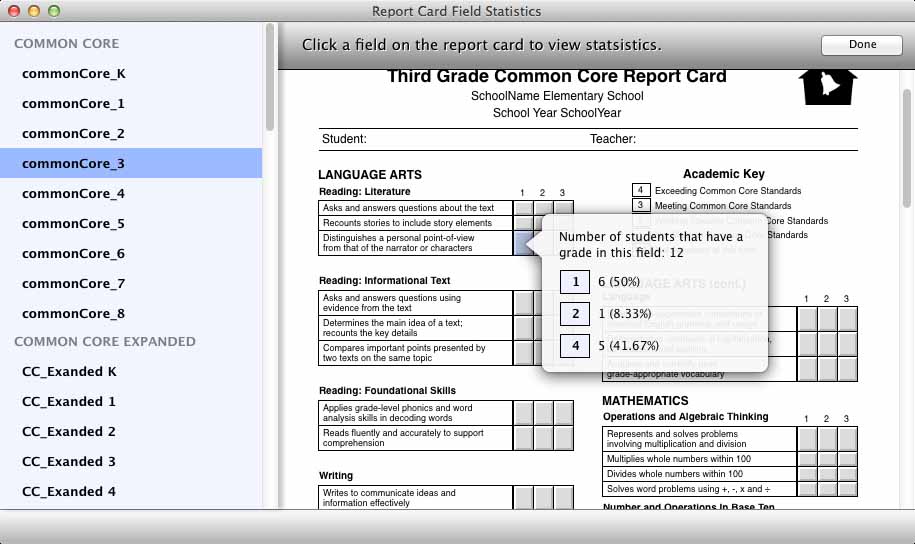
This option will allow you to get district-wide statistics on a specific field on a report card.
SELECT A REPORT CARD
On the left of the window is the Report List. Click the report you want to view from this list. The selected report card will appear on the right.
SELECT A FIELD
Now, just click a field. A overlay will appear that displays the number and percentage of students that have a grade in the selected field, and what grades they received.